

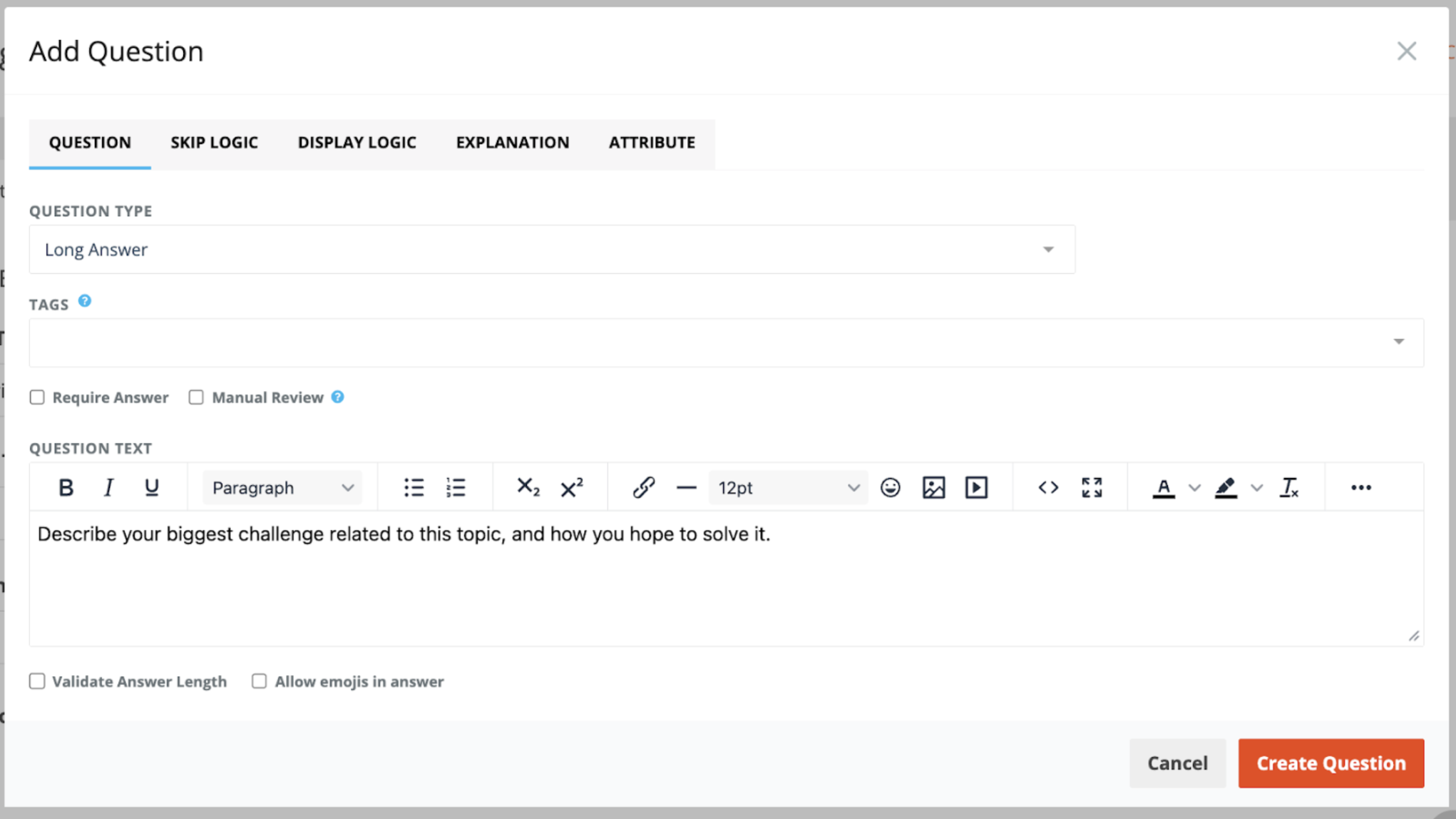
Long Answer is an unscored Question Type useful to give specific Addresses or to explain/justify an answer choice.
Validate Answer Length
You can optionally control how long participant answer can be by enabling the Validate Answer Length setting. This allows you to set a minimum and/or maximum number of characters a participant is allowed to submit. This setting is optional - if you don’t enable the checkbox, no limits will be applied. If you do enable it, you can set either a minimum, a maximum, or both.
Note: Spaces are counted as characters.
Allow Emojis in Answer
When this option is enabled, an emoji button appears so participants can easily open an emoji menu and add emojis to their Long Answer response.
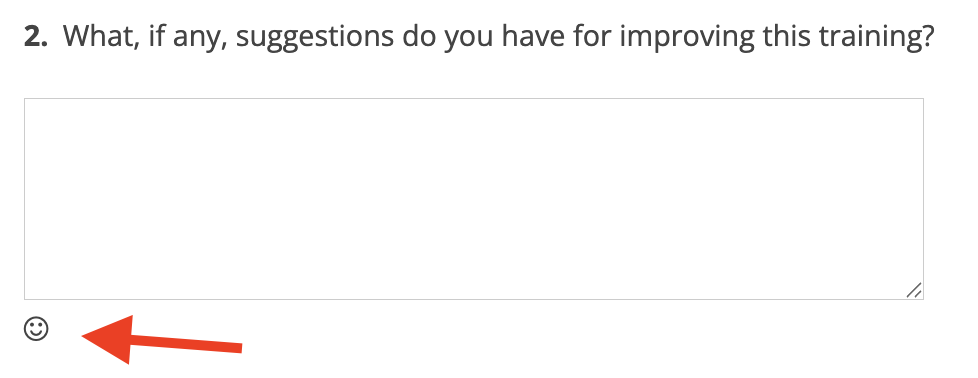
Participants can still type or paste emojis into their answer even if this option is not enabled - this setting only controls whether the emoji button (that opens the emoji menu) is displayed.